Government video surveillance: data under your own control
For public bodies, a camera system has to do more than record. It has to keep data under your own control, stand up to an audit, work across many buildings and fit a public procurement process. Here is how we set up government video surveillance with Nx Witness for municipalities, agencies and other public organisations.
- Data on your own servers
- Runs without the cloud if needed
- Many buildings, one system
Short answer
What does government video surveillance require?
Control over where the footage lives, strict access per role, an audit trail of who viewed what, and a system you can explain to a supervisor, an auditor and the public. Picture quality matters, but in the public sector accountability matters more.
That is where a stack of separate recorders fails. Each building with its own box, its own login and its own retention setting is impossible to account for. One managed platform, on servers you control, is.
Data sovereignty
Can the footage stay on our own servers?
Yes. Nx Witness records to servers you own, in your own building or data centre. Nx Witness Professional can run entirely without internet: activation and updates can be done offline, and all outgoing traffic can be blocked.
That makes it suitable for isolated networks. Remote access through the cloud is an option, not a requirement, and the cloud relay cannot decrypt video viewed in the desktop client or mobile app. Nx Witness Enterprise, the subscription edition, does require a cloud connection, so for an air-gapped environment Professional is the right choice. We work that out with you before anything is ordered.
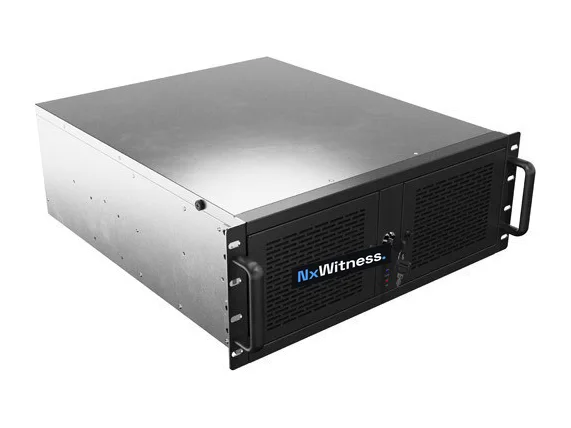
Example image of an Nx server.
Control
How do you keep access accountable?
Personal accounts
Linked to your Active Directory, so leavers lose access automatically.
Roles per building
Facility staff see their building, security sees what their role requires.
Audit trail
Who watched live or played back, which camera and time window, and who exported.
Documented setup
A permissions overview and retention settings you can hand to an auditor.
More on access management across all your sites and the audit trail.
Frameworks
NIS2, GDPR and NDAA: what applies?
NIS2. Public administration is one of the sectors in the directive, and each member state decides which public bodies fall under its national law. If yours does, your camera system belongs in your access policy and asset management. See what is NIS2.
GDPR. Public bodies need a lawful basis, a clear purpose, a defined retention period and control over who sees the footage. Camera surveillance of public space often has its own national rules on top.
NDAA. The US National Defense Authorization Act doesn’t apply in Europe as law, but some organisations adopt its vendor list in their procurement policy. Network Optix states that Nx Witness contains no equipment or services from the companies listed in Section 889. Cameras and other hardware are assessed separately, see Nx Witness and the NDAA (Dutch).
Procurement
Can you work within a public tender?
Yes. A tender usually asks for an open platform, a licence model you can predict, data under your control and proof of how access is managed. Nx Witness answers those with an open VMS that works with most camera brands, licences per camera rather than per server, and recording on your own hardware. We can supply the technical description, the permissions model and the documentation a tender asks for.
We also supply Milestone XProtect and Genetec, and compare them honestly on video management software for business. If a tender points to another platform, we say so.
Questions about government video surveillance
Can Nx Witness run on an isolated network?
Nx Witness Professional can. Activation and updates can be done offline and outgoing traffic can be blocked completely. Nx Witness Enterprise needs a cloud connection.
Can different departments see only their own buildings?
Yes. Permissions are set per user or group, per camera, so each department or building team sees only what their role requires.
Where is the footage stored?
On the servers you choose, in your own building or data centre. Cloud storage of the archive is not required.
Do you work outside the Netherlands?
We supply licences and servers across Europe and set up and support systems remotely. Installation we do ourselves in the Netherlands and the immediate border region.
A camera system you can account for?
Tell us how many buildings and cameras you have, and what your policy or tender requires. You get a proposal that fits, including the documentation.
A quick word
Questions about your situation? Call Sander.
Calls again after handover to walk through it together until it really sits right. Describe your situation and you will hear straight away what we would do, with no obligation.
Sander · Adviser and aftercare