Nx Witness migration and takeover
Two situations, one answer. Either you are running standalone recorders or another video management system and you want to move — or you already run Nx Witness and the company that installed it has gone quiet. We handle both, and in neither case do you start from scratch.
The two routes
Migration, or takeover
Migration
You move from recorders or another system onto Nx Witness. Your cameras almost always come along: roughly 99% of IP cameras on the market are supported, and ONVIF devices are discovered automatically. We check your list model by model before you commit to anything.
Takeover
The system stays as it is; we take over responsibility for it. Management, maintenance, expansion, licences and the phone call when something stops working. Nothing needs replacing.
There is a date on this one
Systems on v5.1 or older
From 1 January 2027, cloud connectivity and cloud-dependent services no longer maintain backward compatibility with v5.1 and earlier, and support for v5 ends. After that date such systems can lose their cloud connection and the features that depend on it.
Upgrading from v5 Professional to Generation 6 Professional is free and happens in the client. The licence model does not change, and the ceiling goes from 128 to 256 cameras per server.
What we do first is check that every camera, plug-in and integration carries over — that is where the surprises live, not in the upgrade itself. Then we schedule it outside office hours so recording does not stop. Not sure which version you are on? Send a screenshot of the client and we will tell you.
How a migration runs
Five steps, no gap in the recording
- Inventory. Camera list, current recorder or system, retention, who watches, what is integrated. Half of this we can do remotely; the rest is one visit.
- Compatibility check. Every camera checked against the supported list. Where a camera cannot be discovered automatically but offers a stream, we add it manually — viewing and recording then work as normal.
- Parallel running. The new system records alongside the old one. Nothing is switched off while there is still archive on the old machine that matters.
- Cut-over. Users, permissions, rules and alerts moved across, ideally linked to your existing user directory so leavers drop out automatically.
- Handover. Documentation, a short training session for the people who actually use it, and a number to call. Not a folder of PDFs and good luck.
Takeovers
Your installer stopped answering
It happens more often than you would think: a system was delivered, the company was sold or moved on, and now nobody knows the admin password, where the licences are registered, or why one camera has been offline since spring.
We take those on. First a review of what is actually there, then the licences and documentation put in order, then a plan for what needs attention. From that point it is ours to keep running — including the expansion you have been postponing.
You do not need to have bought anything from us for this. Most of the systems we take over came from somewhere else.
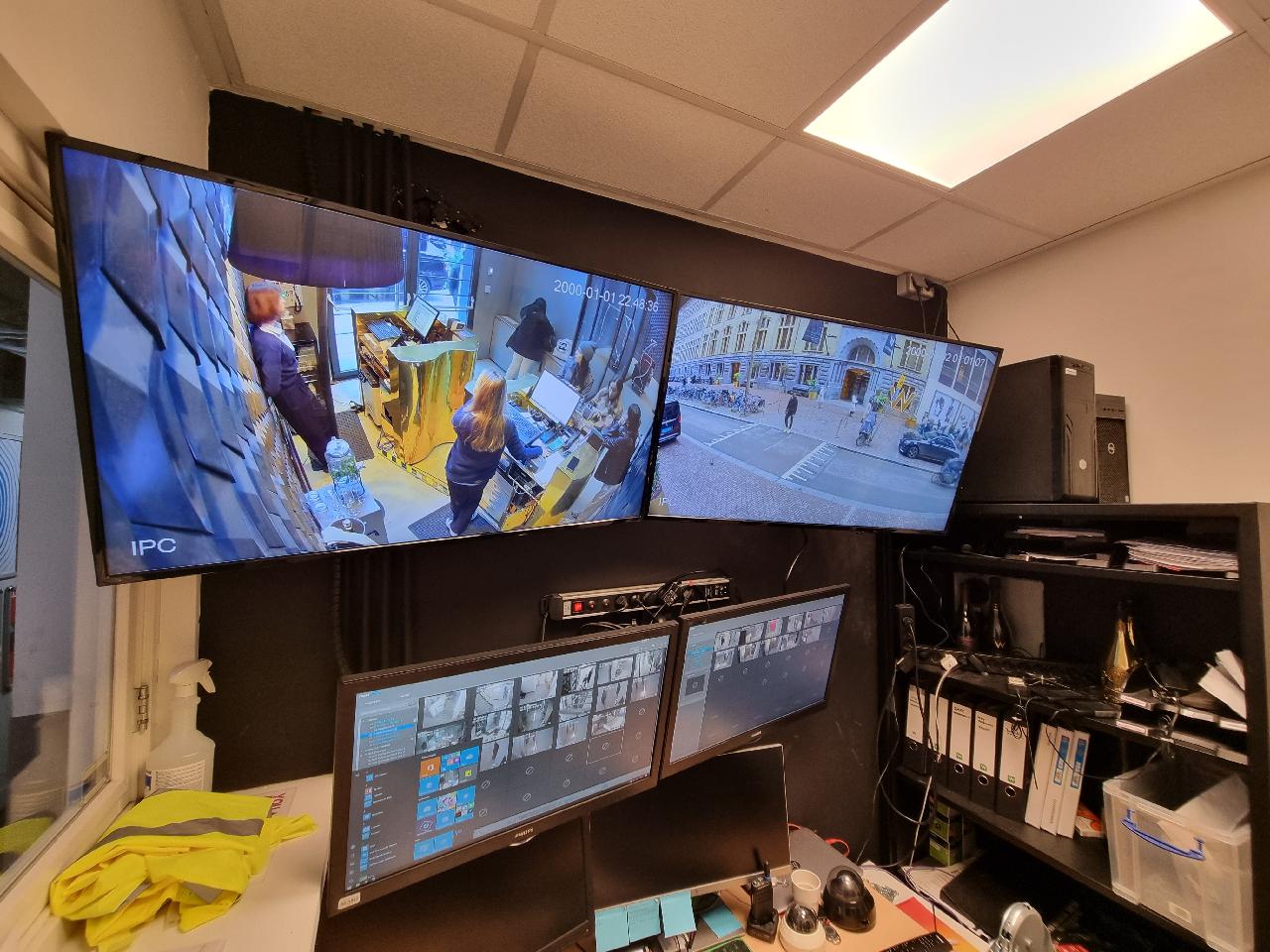
What usually goes wrong — and what it costs to avoid
Three things account for most of the trouble we see when someone else did the migration.
The archive was not kept. The old system was switched off on the day the new one went live, and three weeks later somebody needed footage from before that date. Running in parallel costs a few weeks of two systems and solves it entirely.
Retention quietly shrank. More cameras were added to the same disks, so thirty days became eleven and nobody was told. We measure the actual recording days after the switch, not the theoretical ones.
Accounts stayed behind. In almost every system we take over, there are still accounts belonging to people who left. Linking permissions to your own user directory fixes that permanently — it synchronises every ten minutes, groups included.
“We do not pass you on to someone else. If something is wrong, we solve it.”

Frequently asked
Migration and takeover questions
Will my existing cameras work?
Almost certainly. Roughly 99% of IP cameras on the market are supported. Devices that speak ONVIF Profile S are discovered automatically; if a camera cannot do that but provides an RTSP or HTTP stream, we add it manually and viewing and recording work normally.
Send us the camera list and we will check it before you decide anything. It costs you nothing and it is the single most useful thing you can send us.
Can I keep the footage from my old system?
Recorded archive generally cannot be imported into a different system in a usable, searchable form. What we do instead is leave the old system running read-only until its retention period has passed, so you can still reach it. Anything you specifically need, we export before the switch.
How long does a migration take?
For a system of twenty to forty cameras, typically one working day on site plus preparation, with a parallel period of a few weeks. Larger or multi-site systems we do in phases, one location at a time, so there is never a moment where everything is in flux.
Does recording stop during the changeover?
No. That is the point of running in parallel. Cameras are moved across in batches and each batch is verified as recording before we move on to the next.
Can you take over a system we bought elsewhere?
Yes, we do it regularly. We review it, check the licences, sort out the documentation, then take over management, maintenance and expansion. You keep your hardware and your archive.
We do not have the admin password any more. Is that a problem?
Usually not. There are legitimate recovery routes, and where there are not, a controlled rebuild of the configuration on the same hardware is a day's work rather than a new project. Tell us what you do have access to and we will tell you which of the two it is.
Do you work outside the Netherlands?
We migrate and support remotely across Europe and ship the hardware. On-site work we do in the Netherlands and the immediate border region; elsewhere we work alongside a local party and take the technical lead.
Send your camera list and we will tell you where you stand
Within one working day you will hear what carries over, what does not, what it would cost and what we would do — including if the honest answer is that you should leave it as it is for now.

A quick word
Questions about your situation? Call Marc.
Has worked in security since 1999. On large migrations he is there himself on day one. Describe your situation and you will hear straight away what we would do — with no obligation.
Marc Herdes · Co-founder and security specialist