Warehouse security cameras: docks, yard and damage claims
A warehouse is large, busy around the clock and full of other people’s goods. Cameras there settle damage claims, show which truck was at which dock, and keep an eye on the yard at night. Here is how we set up warehouse security cameras with Nx Witness, from one distribution centre to a network of sites.
- Docks, yard and gates
- Settle damage claims
- Multiple sites
Short answer
What do warehouse security cameras need to cover?
The gate and the yard, every loading dock, the high-value storage areas and the perimeter. And they need to make it easy to answer one question fast: what happened at dock 7 when that pallet was loaded?
In logistics the camera system is as much an operational tool as a security one. Most footage gets requested for a damage dispute or a missing delivery, not a break-in. That changes what you design for: clear views of the docks, enough storage to cover your claim periods, and fast search.
Where
Where do the cameras go?
Gate and yard
Every vehicle in and out, ideally with licence plate recognition at the gate.
Loading docks
One camera per dock, looking into the trailer, so the loading itself is visible.
High-value storage
Cages and areas for valuable goods, with stricter access.
Perimeter
Fences and blind sides of the building, with analytics that alert on people, not on every moving branch.
Claims
How do cameras help settle damage claims?
By showing the state of the goods at the moment they left or arrived. A clip of the pallet going into the trailer is often the end of the discussion.
That only works if the footage is still there. Claim periods can be longer than your default retention, so we size storage for them and make it easy to protect a clip: bookmark the moment and export it with a watermark that shows it hasn’t been altered. Searching in an area of the image takes you straight to the moments something happened at that dock.
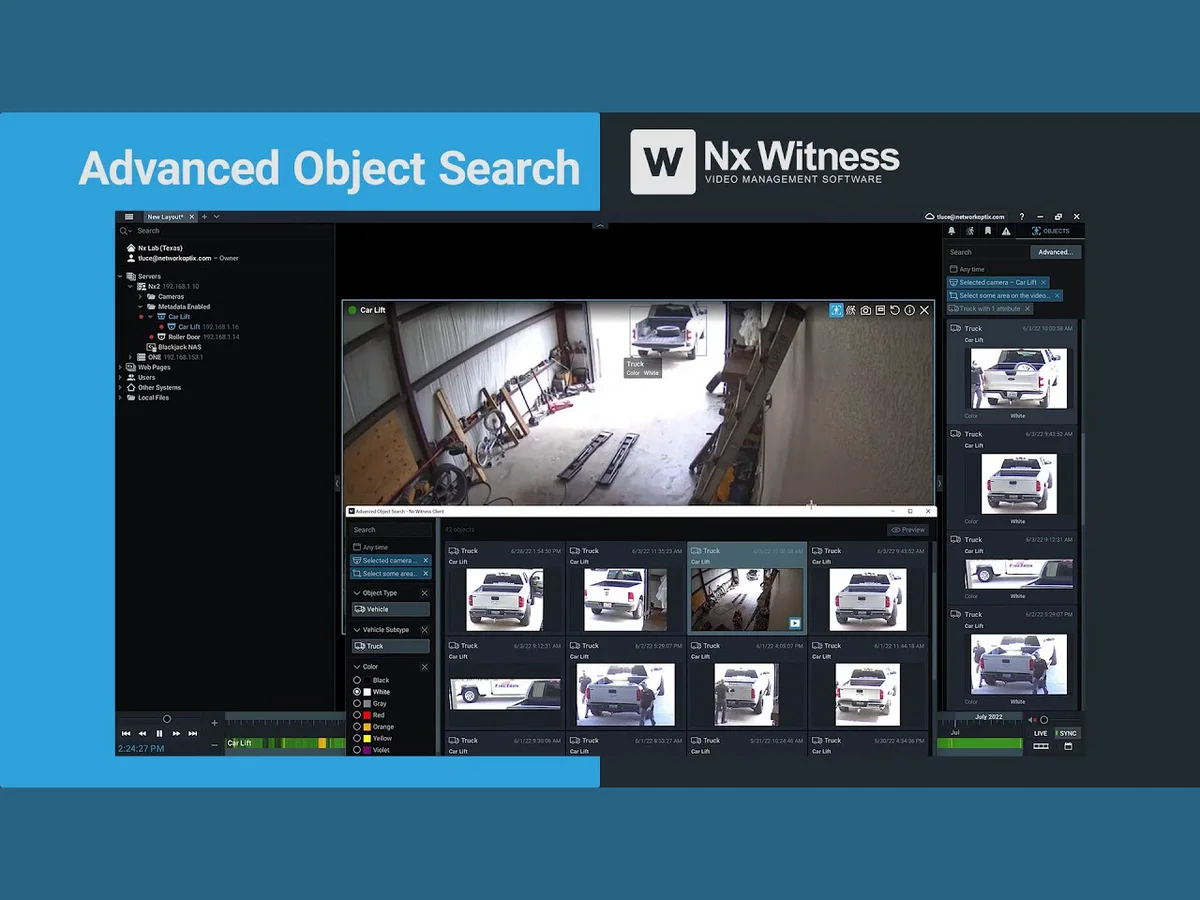
Image: Network Optix, maker of Nx Witness.
Reliability
What if a server or disk fails?
A warehouse runs day and night, so the camera system has to keep going. In Nx Witness, cameras move to another server if one fails, recording carries on to the remaining disks if a disk drops out, and you get an alert when something stops recording. That is the difference with finding out after an incident that a camera recorded nothing for three weeks.
Large halls are hard on cameras: high ceilings, mixed lighting, open doors with bright daylight behind them. We choose and place cameras for that, and measure the real data rate after installation so the retention you were promised is the retention you get.
Multiple sites
How do you manage cameras across distribution centres?
Each site gets its own server that keeps recording if the connection drops, and users are managed centrally. A site manager sees their own site, the operations and security teams see what their role requires, and leavers lose access in one action. Licences are per camera, not per site. More on access management across all your sites.
Transport, postal and courier services and food distribution are among the sectors NIS2 covers. If your organisation falls under it, your camera system belongs in your access policy, see what is NIS2.
Questions about warehouse CCTV
How long should a warehouse keep footage?
Long enough to cover the claims you get, and no longer than your purpose requires. We size the storage around that, and footage of a specific incident can be kept until the claim is settled.
Can we use licence plate recognition at the gate?
Yes, with a camera placed specifically for it. Plates become searchable and can trigger a barrier. See LPR software with Nx Witness.
Can we keep our existing cameras?
Usually. We check every model first. Cameras that no longer get updates, or can’t see the docks properly, we replace selectively.
Do you work outside the Netherlands?
We supply licences and servers across Europe and set up and support systems remotely. Installation we do ourselves in the Netherlands and the immediate border region.
Cameras for one warehouse or a network of sites?
Tell us about your docks, your yard and your claim periods. We design around how your operation actually runs.

A quick word
Questions about your situation? Call Eline.
Treats security and networking as one trade. Hands over a system the way she would want to find it. Describe your situation and you will hear straight away what we would do, with no obligation.
Eline Klaver · Security adviser and certified engineer